Product · version 1.0.0
Change Order and T&M Tracker
A change order and T&M (time and materials) tracker for remodelers, carpenters and small trade contractors. Log every change on every job and every T&M ticket, and see the money to watch: work started before the client approved, changes approved only by a verbal yes, change orders waiting on the client, approved changes not on an invoice yet, and T&M work that is not on any change order. Print a one-page change order record for the client to sign. No app, no sign-up, no subscription.
Intro offer: enter code CO1600 at checkout for $3 off ($16.00 instead of $19.00). The code works for the first 20 uses and ends January 12, 2027.
What you get
- The tracker for Excel 2019 or later and Microsoft 365 on Windows and Mac, plus a DEMO copy with made-up jobs, changes and tickets
- A Google Sheets import copy, plus its DEMO copy
- A two-page Quick Start PDF with a worked example
What it handles
- Crew rates: base wage, burden % and bill rate per role. The sheet works out the loaded cost per hour, so every T&M line shows what you billed and what it cost you.
- Jobs: original contract, approved changes, revised contract, pending changes, changes billed, approved but not on an invoice, change growth and T&M not on a change order.
- Change orders: fixed-price or T&M, reason, status (Draft, Sent, Approved, Declined), dates, approval method, work started and billed to date. Credits work too.
- T&M tickets: labor at your bill rate, materials and other costs with your markups, optional sales tax on materials at your rate, and cost and margin on every line.
- Money flags on every change order, with day limits you set; a Summary of the money to watch, contracts, status, reasons and T&M margin; and a Checks tab that cross-checks the totals.
- Capacity: 200 jobs, 500 change orders, 1,000 T&M ticket lines and 10 crew roles per file.
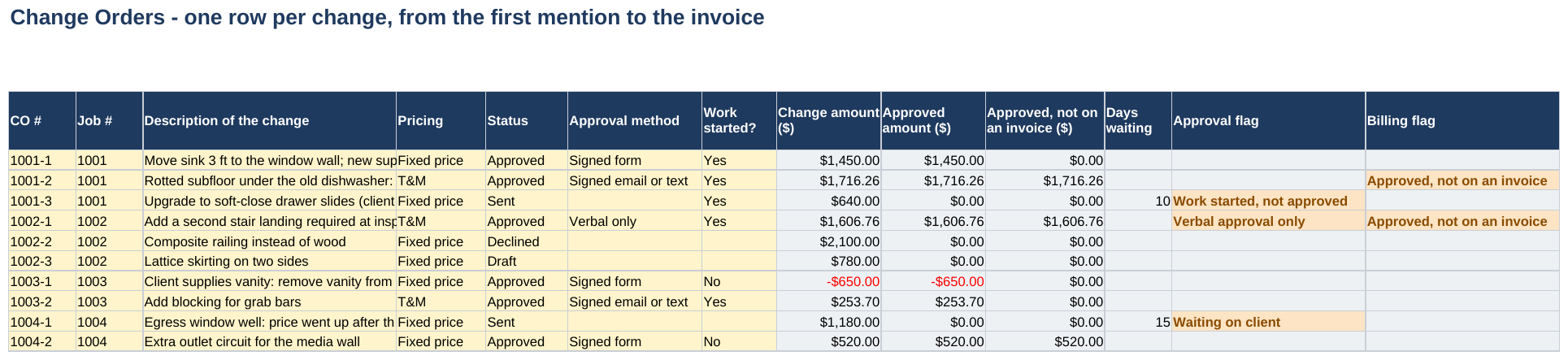
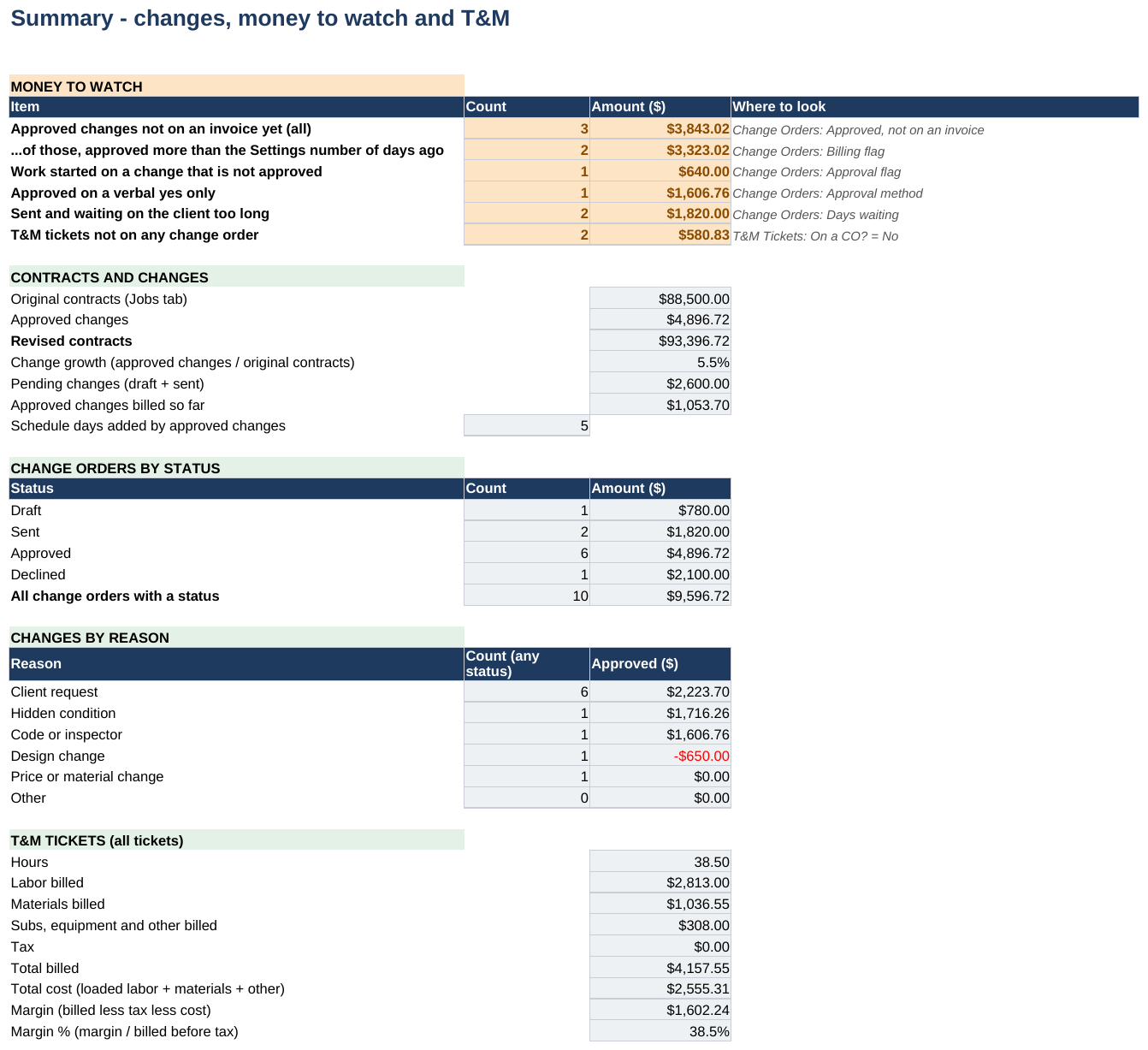
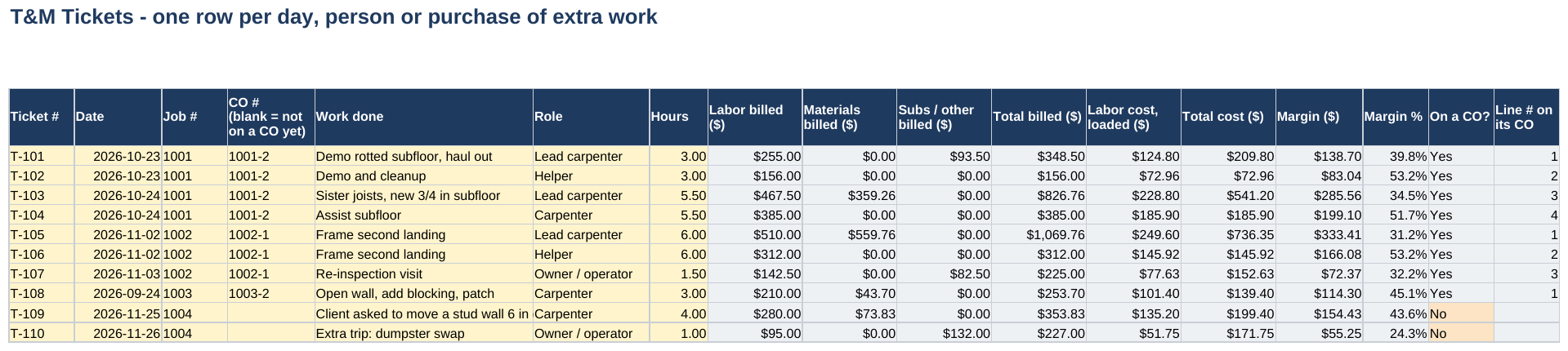
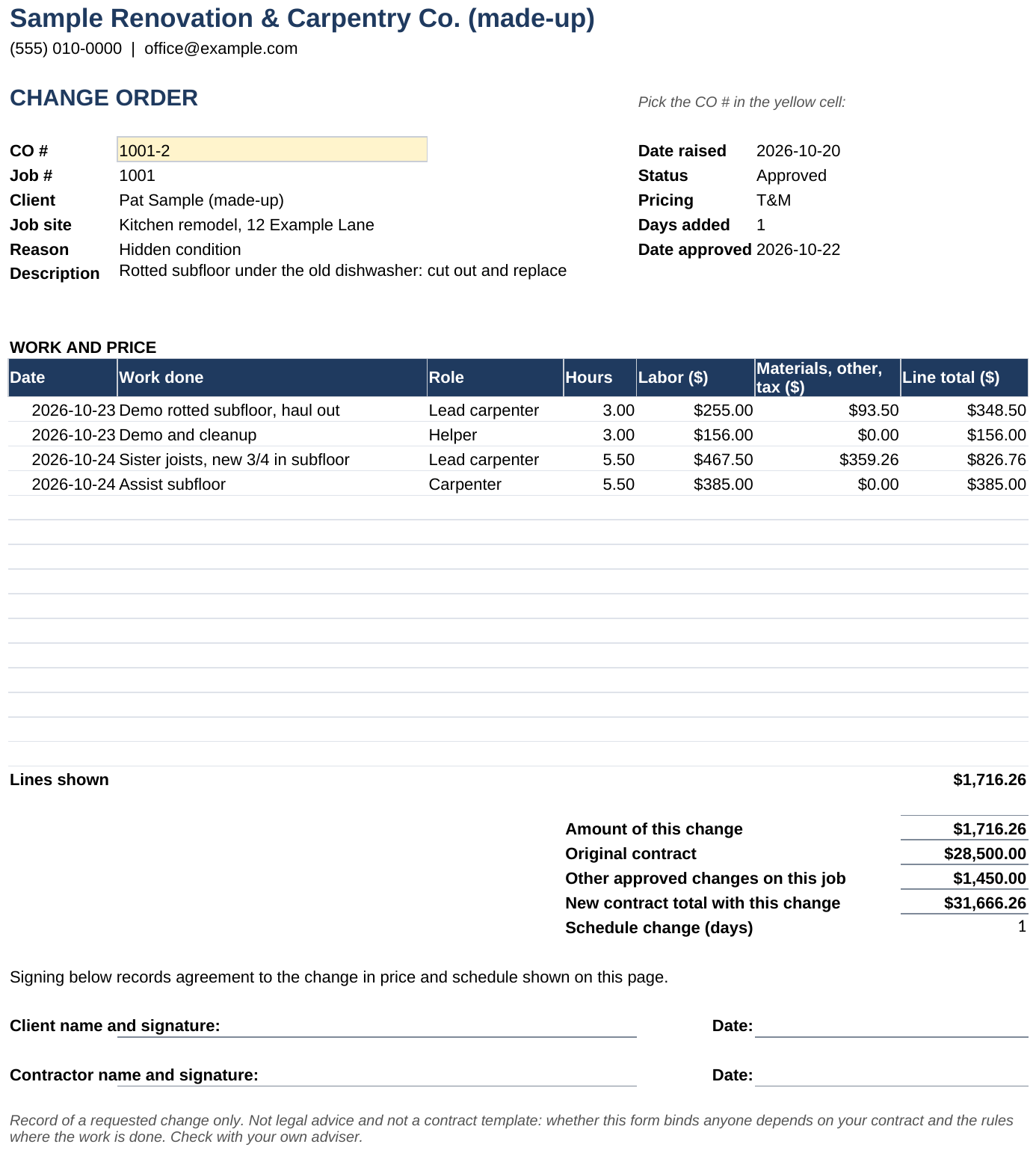
Screenshots are of the DEMO copy with made-up data, rendered from the actual file.
About the CO Form
The CO Form is a plain record of a requested change: what changed, the price and schedule effect, and lines for signatures. Whether a signed form binds anyone depends on your contract and the rules where the work is done; change-order and home-improvement rules vary by state. Check the wording with your own adviser before you rely on it.
What it does not do
- It is not a contract template and gives no legal, tax or accounting advice; it does not decide what is taxable where you work
- It does not calculate payroll taxes or burden for you (you enter your own burden %)
- It does not send anything, take payments, keep your books or connect to other software
- Not tested for Apple Numbers, phones or tablets, or Excel for the web as your main tool
Record-keeping tool only. Not legal, tax, accounting or contracting advice, and not a contract template. The CO Form is a plain record of a requested change; whether it binds anyone depends on your contract and the rules where the work is done. Names and figures in the DEMO copy are made up.